Mobile PDF toolkit for on-device conversion, editing, and basic security
PDF Converter: Read Editor by Shenzhen Youyunxiu Technology Co., Ltd. is an Android utility for creating and editing PDFs. It converts photos and camera scans into PDFs, exports PDF pages as images, merges and splits documents, compresses files, and applies or removes passwords and watermarks. Many tasks run locally, and the interface groups conversion, editing, and document-management tools on mobile devices. Students, office professionals, and remote workers gain portable document workflows without a desktop.
How capable are the app's conversion and scanning tools?
The app covers common mobile document tasks with a set of focused tools. Key conversion modes include image-to-PDF and PDF-to-image export, plus camera-based document scanning. It also offers merge and split functions and watermarking. Users can select multiple photos and compile them into a single file.
Image to PDF from gallery and camera
Export pages to image files
Merge and split PDFs in-app
Does it affect device performance during conversions and scans?
The developer states the tool is optimized for mobile hardware to ensure fast processing of conversions and scans, and system requirements vary by device. Expect performance to depend on your phone's CPU and storage speed during large batch operations. Running heavy jobs on newer devices generally completes faster, while older hardware may take longer, so schedule large batches when the device has available resources.
Is it safe to use with confidential documents?
Security features include the ability to add and remove password protection for PDF files, which helps control access to sensitive documents. Many editing and conversion tasks can run locally on the device, reducing reliance on remote services. User feedback occasionally mentions advertisements present in the app's distribution model; that point is relevant for privacy-conscious users who prefer uninterrupted, ad-free environments.
Do I need technical knowledge to operate the app correctly?
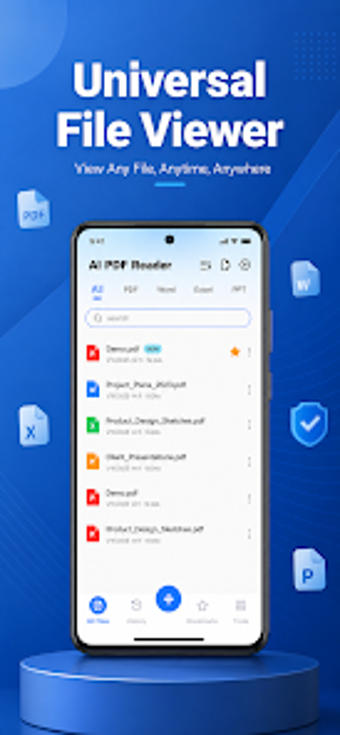
The interface is designed with a simple layout that prioritizes ease of use for non-technical users, making common workflows accessible without specialist knowledge. The all-in-one approach reduces the need to juggle multiple apps for basic document tasks. Advanced users who require extensive, desktop-grade editing may find the app less suited to sustained, complex workflows, while casual and mobile-first users can operate it with minimal training.
Practical choice for mobile-first users with one trade-off
PDF Converter is a pragmatic option for students and mobile professionals who need dependable, on-device PDF handling; user reports note advertisements as the primary trade-off. For stable operation, run batch compressions or merges while the device is charging and on local storage. The app fits users who prioritize quick mobile workflows rather than deep, desktop-level document editing.
Pros
Converts multiple gallery photos into a single PDF
Performs many conversions locally, enabling offline operation
Adds and removes PDF passwords and watermarks
Cons
Ad-supported distribution may show advertisements that interrupt workflows
Performance depends on device hardware for large batches
Less suited for sustained, advanced editing compared to desktop tools
Laws concerning the use of this software vary from country to country. We do not encourage or condone the use of this program if it is in violation of these laws. Softonic may receive a referral fee if you click or buy any of the products featured here.